HR software for small businesses and their teams

Manage people without the busywork.No in-house HR department required.

Personarium connects personnel files, leave, time tracking, shifts, documents and payroll preparation. Create an employee record once and connect the daily workflows around it.

Plus includes up to five active employee records. Pro removes this product-side record limit and adds team, shift and payroll workflows.

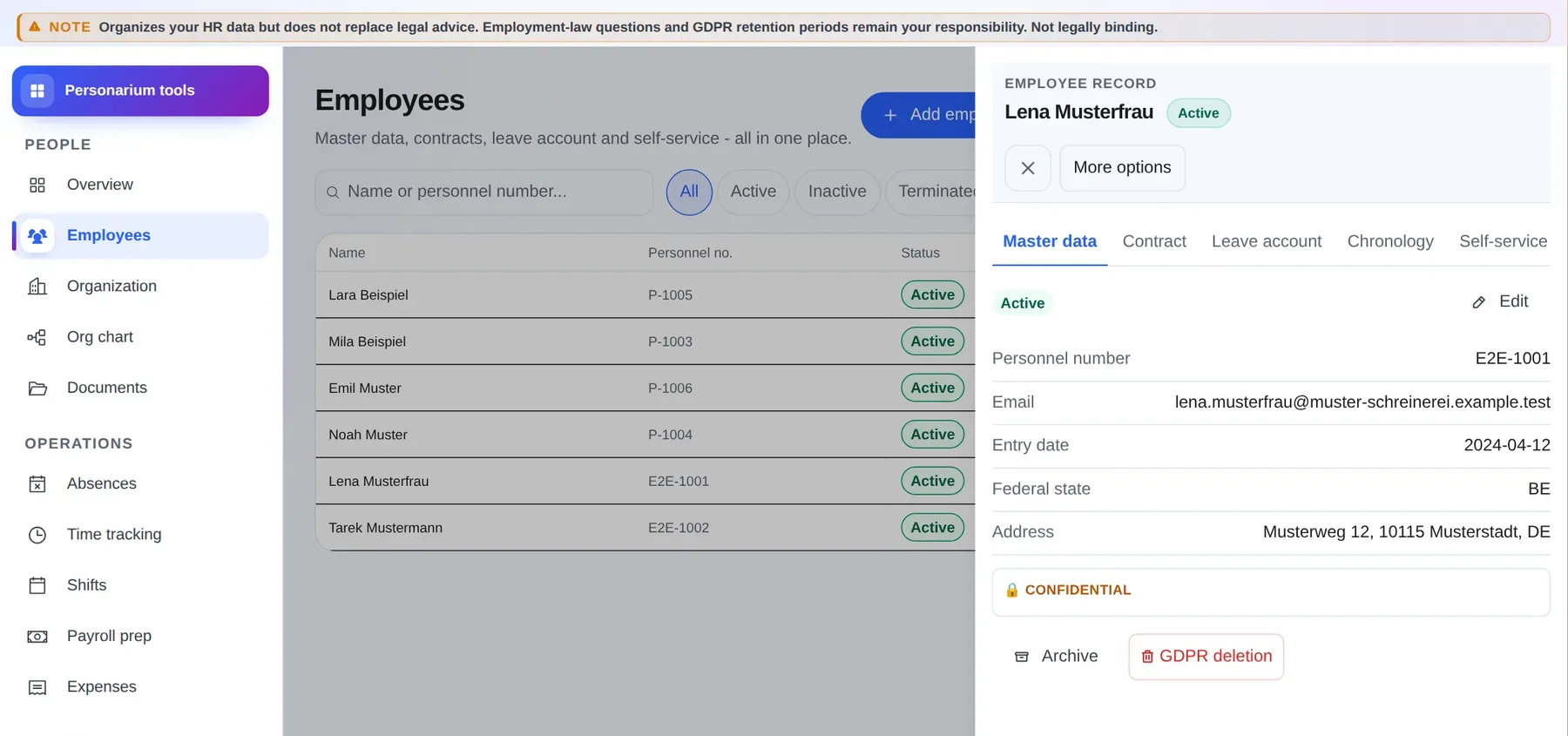
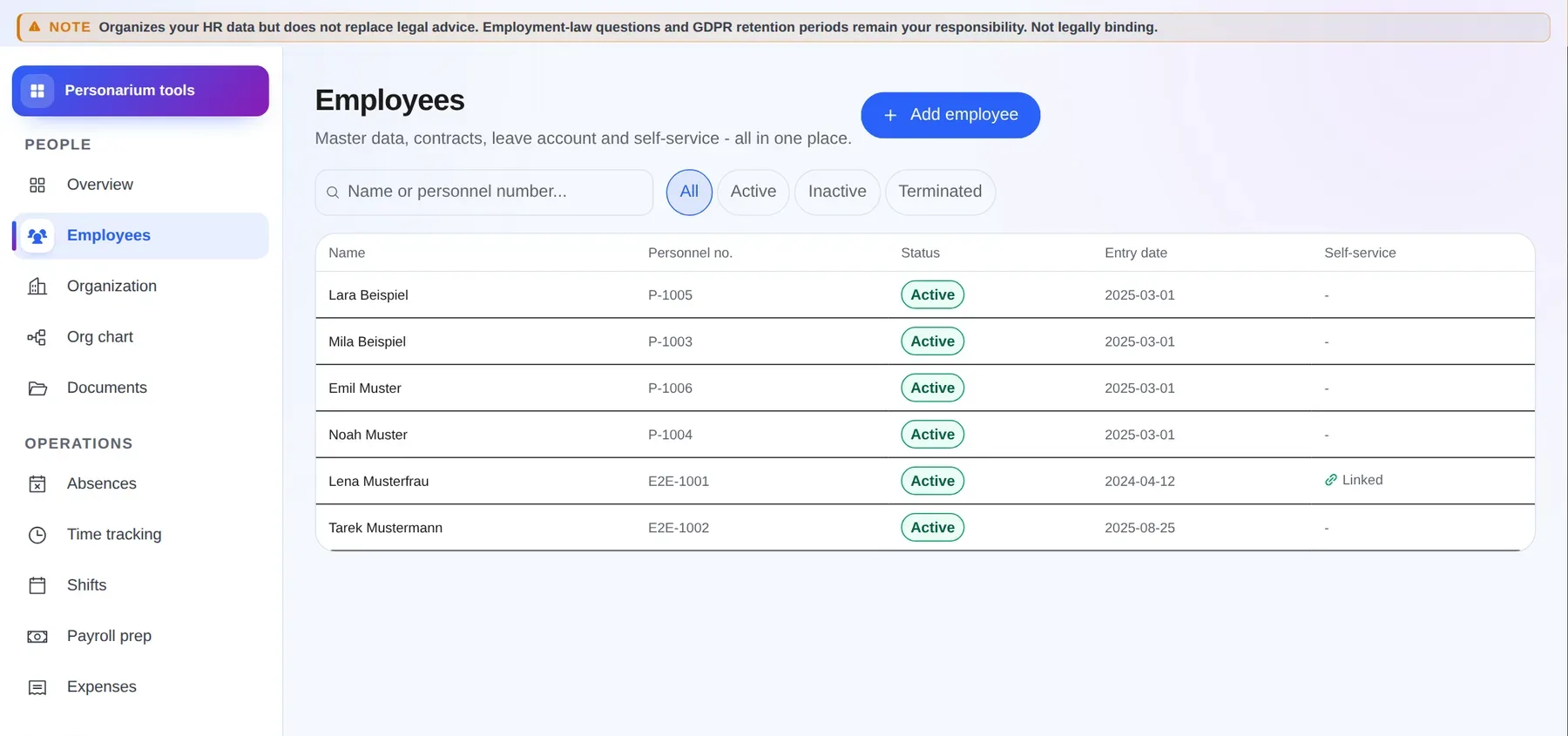
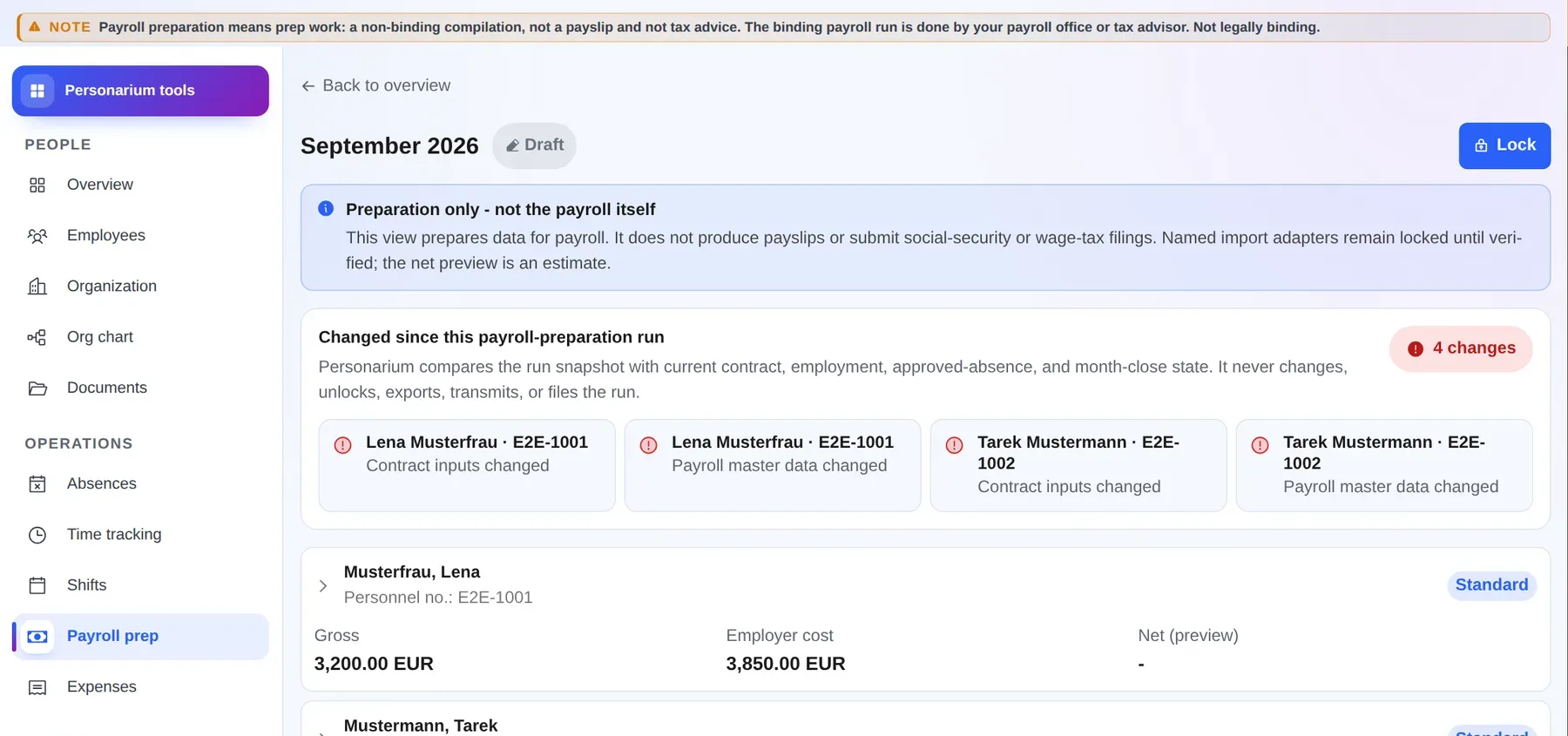
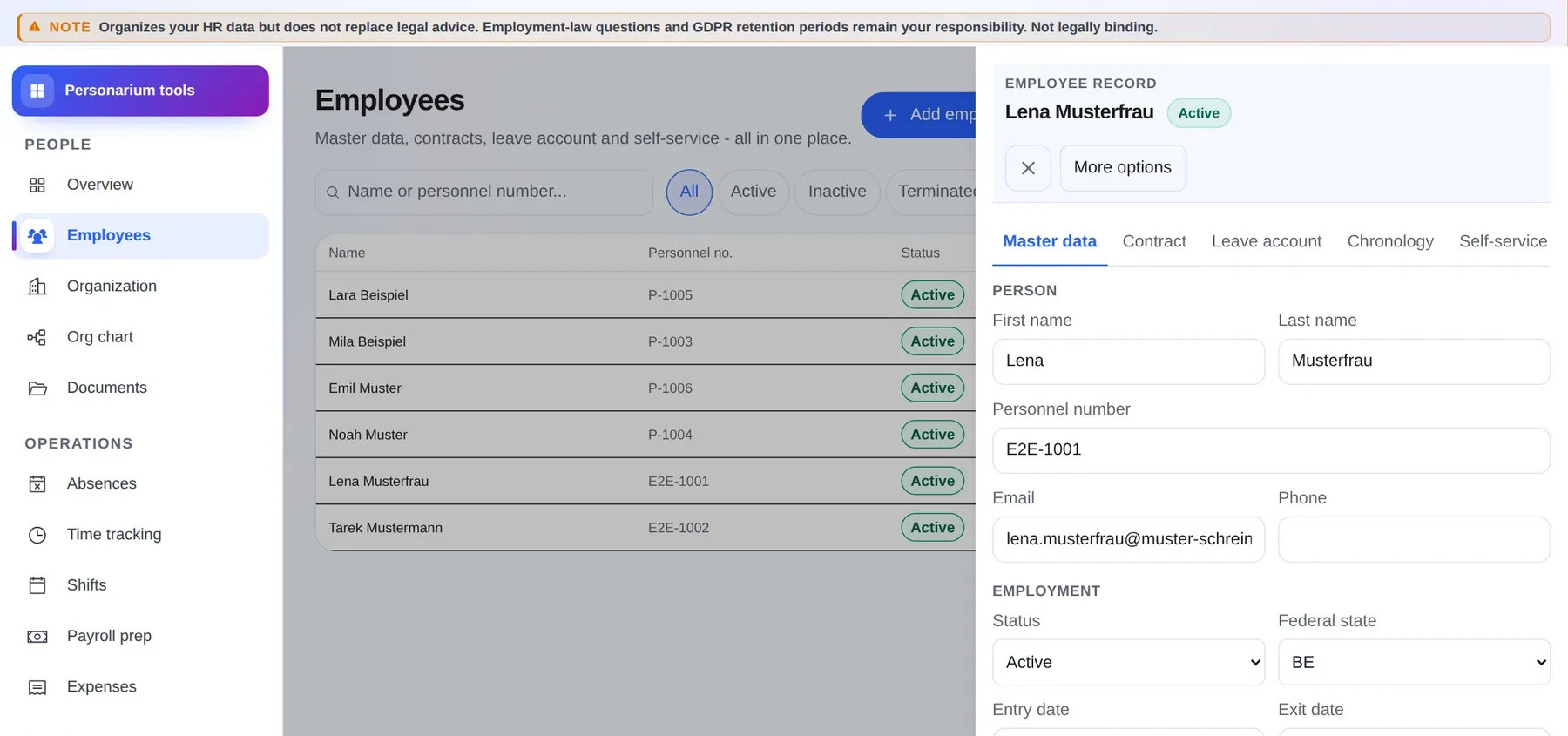
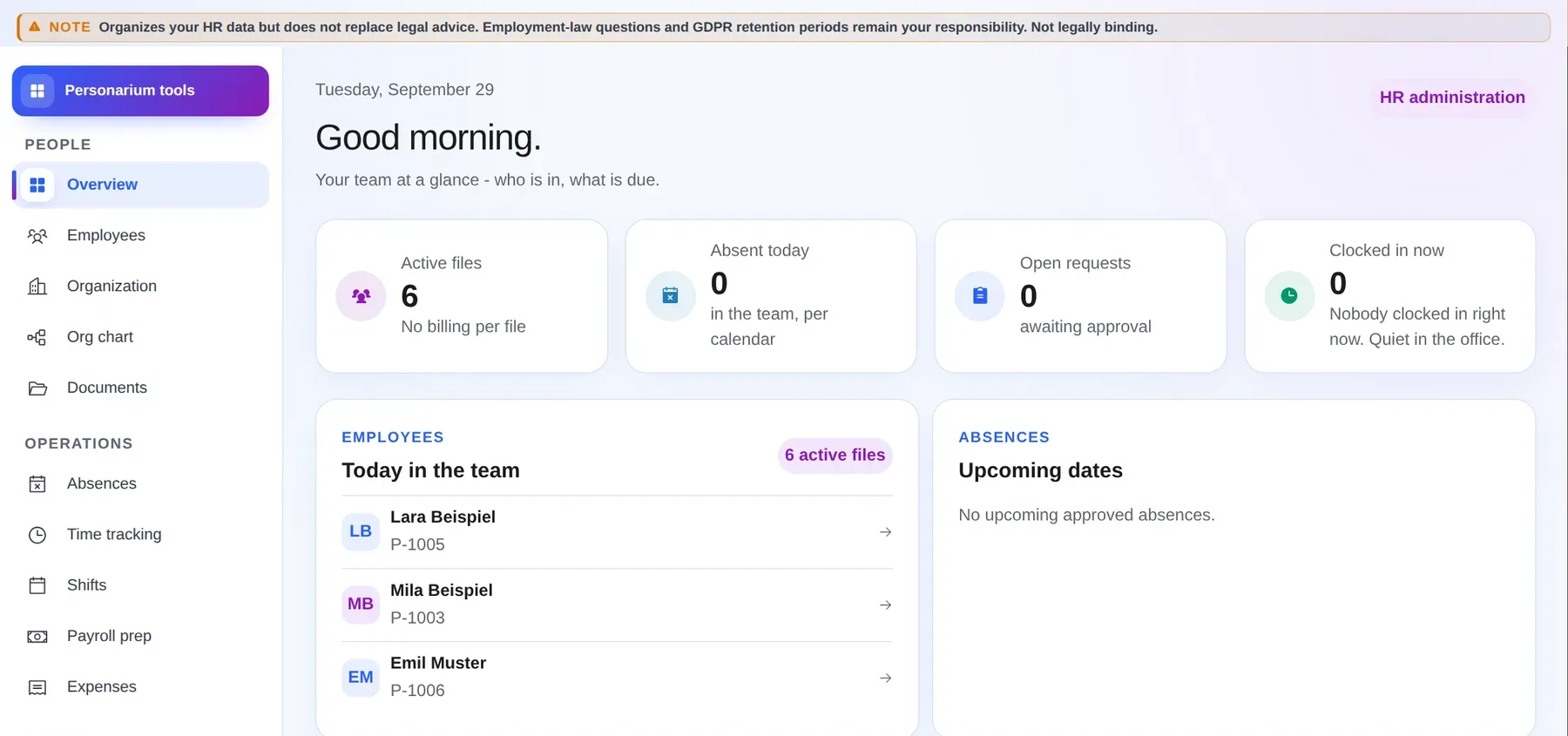
Real Personarium interface, shown in German
Personarium workspace showing an employee list with synthetic sample data
Record createdLeave approvedMonth prepared
Product preview shown in German with synthetic sample data. Personarium itself also supports English. The image is not interactive.
  • 5Plus for up to 5 recordsUp to 5 active records
  • PROPro without a record limitNot priced per employee file
  • DEOperated in GermanyHetzner infrastructure
  • +One subscription for all toolsHR, projects, invoicing and files
Does this sound familiar?

People operations rarely fail because of people. They fail because the facts live in too many places.

Personarium fixes the points where small businesses spend every month asking, copying and chasing.

01

Employee details, contracts and deadlines live in binders, files and individual memory.

Personarium insteadOne digital record keeps the person, employment, documents, allowances and organisation together.
02

Leave comes through messages, time through spreadsheets and shift swaps by word of mouth.

Personarium insteadRequests, time entries, shifts and approvals refer to the same person and organisation.
03

At month end, hours, bonuses and absences are collected again for the payroll office.

Personarium insteadPro bundles the existing data for payroll preparation and a controlled export.
One record, connected workflows

From the first working day to month end without another disconnected tool.

Every area works with the same employee record. Permissions and approvals determine who can see or change what.

  1. 01

    Create

    Enter master data, employment, leave and assignment.

  2. 02

    Organise

    Connect the team, position, reporting line and documents.

  3. 03

    Work

    Manage leave, time and, with Pro, shifts.

  4. 04

    Involve

    With Pro, invite a personal account limited to that employee.

  5. 05

    Prepare

    Bundle time, bonuses and absences for the payroll office.

Permissions remain part of the workflow. HR administrators, managers and employees receive separate views. Suggestions and warnings do not make employment decisions.

Also included: Projektspiegel

Contracted hours and leave in the same planning view.

When the person planning also has read access to the HR area, Projektspiegel uses contracted hours as the capacity basis and displays approved absences alongside it. Absence is not automatically deducted from capacity.

Project management is included in your Werkzeu.ge Plus or Pro subscription.

Explore project management
What Personarium covers day to day

Five jobs around the same person.

The core stays clear. Advanced workflows appear with Pro and only where they are needed.

Personnel files and organisation

From Plus

Master data, employment periods, documents, leave accounts and organisational assignment stay in one place.

  • Up to 5 active records with Plus
  • No product-side active-record limit with Pro
  • Organisation, positions and reporting lines
Personnel managementSeverance calculatorReference decoderEmployment contract generatorProEmployee directoryPro
Technical details

Especially sensitive identity and bank fields receive additional field-level encryption. Documents live in the connected file cabinet and remain accessible through the personnel file and its permissions.

Leave and time tracking

From Plus

Allowances, public holidays, requests, time entries and monthly balances work with the same employment and work schedule.

  • Leave requests and approvals
  • Clock in, clock out and breaks
  • Warnings for rest and maximum working time
Leave plannerTime tracking
Technical details

Working-time and leave calculations are organisational aids. The employment contract, collective agreement, works agreement, holiday rules and law remain authoritative in each case.

Shifts and employee self-service

With Pro

Plan shifts with templates, availability and conflict warnings. Employees use a limited personal area through their own account.

  • Weekly plan and shift templates
  • Swaps, open shifts and approvals
  • Own requests, time and released documents
Shift plannerProTeam time trackingPro
Technical details

Self-service and shared organisations require Pro. Every invited user requires a purchased team seat. An employee record without its own login does not consume a seat.

Payroll preparation

With Pro

Bundle time data, bonuses and absences for the next step with your payroll office or tax adviser.

  • Monthly runs with controlled status
  • DATEV LODAS text and DATEV Lohn und Gehalt CSV
  • Reviewable transaction data for handover
Payroll preparationProPayroll summaryPro
Technical details

Personarium does not calculate payroll, submit statutory reports or replace payroll software. The output requires professional review.

Onboarding, talent and planning

Plus and Pro

Onboarding is already included in Plus. Pro adds recruitment, development, learning, positions, compensation, expenses, surveys and analytics.

  • Onboarding tasks and deadlines from Plus
  • Recruitment, goals and qualifications with Pro
  • Workforce, compensation and workflow planning with Pro
RecruitmentProDevelopment goalsProLearning managementProWorkforce planningProCompensation planningProHR workflowsProHR analyticsProTravel expensesProEmployee surveysProNotice-period monitorProEqual-pay radarPro
Technical details

Analytics use your organisation data. Automated suggestions are working aids and do not make hiring, compensation or termination decisions.

Especially useful where people work in shifts.The shift planner is part of Pro.
HospitalityCareRetailTrades
Employee self-service with Pro

Each person sees their area, not your whole HR office.

You decide which employees need their own access. The invitation links the account to the existing employee record.

01

Choose the record

Select the existing employee record and send the invitation.

02

Accept the invitation

The employee registers from the link or signs in with an existing Werkzeu.ge account.

03

Use the personal area

Leave, own time, shifts and released documents remain limited to that person.

Employee record

A data record for your internal administration. Pro has no product-side limit for active records. A record alone does not cost a team seat.

Purchased organisation seat

One team seat for one person in the shared organisation. Owners, managers and self-service users with their own access each occupy an available seat. A pending invitation already reserves a seat.

Example: 12 employees, 3 loginsYou keep 12 employee records. Only the owner and two shift leaders sign in themselves. You purchase 3 team seats, not 12.
Start clearly

Build the foundation first, then add the rest.

You do not need to use every Pro area on day one. Start with records, leave and time, then add further workflows when you need them.

Set up step by step

Create the organisation, responsible people and active employees first. Add schedules, allowances, documents and self-service only when ready.

  • A clear starting order
  • Use further areas only when needed
  • Review permissions before invitations

Personal help from 5 team seats

We help with initial setup and data entry at no additional charge. We agree the scope and source format with you first.

  • Review structure and master data together
  • No uncontrolled mass import
  • Approval by a responsible person
Free data setup from 5 seats
Included in the same subscription

HR, projects and invoicing. One subscription.

Plus and Pro cover Werkzeu.ge as a whole. Personarium is the HR workspace within it, not a separately priced module.

One account, one price, separate permissions and connected workspaces
People

Personarium

Personnel files, leave, time, shifts, documents and payroll preparation.

  • Shared employee foundation
  • Self-service with Pro and team seats
  • Roles and scoped views
Explore Personarium
Projects and customers

Projektspiegel

Plan client work, tasks, time, budgets and available capacity.

  • Kanban and tasks
  • Time, budgets and workload
  • HR capacity only when permitted
Explore project management
Invoicing

Fakturen

Customers, quotes, invoices, German e-invoices, payments and handover to your tax adviser.

  • Document chain
  • E-invoicing and incoming invoices
  • Payments and reminders
Explore Fakturen
Files

File cabinet (Aktenschrank)

Organise HR, project and invoice documents in the same account.

  • Folders instead of download chaos
  • Permission-based links
  • Operational output and controlled requests
Learn about Werkzeu.ge

Important for teams: Shared organisations, employee self-service and additional users require Pro and purchased team seats. Employee records without a login do not consume a team seat.

Clear pricing

One Werkzeu.ge subscription. No price per employee record.

Choose how you work: Plus for centrally managing a small team, Pro for advanced HR workflows, or Pro Team for a shared organisation.

For advanced workflows

Pro Solo

Gold founder price - 46% off

Everything in Plus, without a product-side record limit and with Pro tools for one person.

€13.99 / monthregularly €25.99

Annual plan: 12 months for the price of 10: €139.90

  • No product-side limit for active employee records
  • Shift planning and payroll preparation
  • Talent, compensation, planning and analytics
  • Every Pro tool for projects and invoicing
Try Pro for 14 days

The monthly plan can be cancelled monthly. You keep this founder price while the subscription remains uninterrupted. 31 days remain in the Gold phase, then the price rises.

For working together

Pro Team

Gold founder price - 46% off

Everything in Pro, shared with roles, invitations and employee self-service.

€13.99 / month per purchased seatregularly €25.99
  • Organisation and roles
  • Invitations by email
  • Price per purchased team seat
  • Employee records without a login use no seat
  • Free data setup from 5 seats

Employee records without a login do not consume a seat.

Monthly team total€41.97 / month
Annual team total12 months for the price of 10€419.70 / year
Try Pro Team for 14 days

The monthly plan can be cancelled monthly. You keep this founder price while the subscription remains uninterrupted. 31 days remain in the Gold phase, then the price rises.

Plus and Pro apply to the whole Werkzeu.ge platform, not only Personarium.All displayed prices include 19% German VAT. Eligible new customers can try the product for 14 days. The trial starts after usable payment details are confirmed. Mollie charges EUR 1.00 immediately as an advance. It is credited against the first subscription payment or refunded if you cancel before conversion. The checkout information is authoritative.
Also included: Fakturen

Manage people and create invoices without buying two subscriptions.

The same Werkzeu.ge account also includes customers, quotes, invoices, German e-invoices and payment tracking. Access rights remain separated by workspace.

Fakturen and the matching project tools are not separately priced modules.

Explore invoicing
Data protection without fog

Personnel data needs boundaries people can understand.

Personarium combines organisation boundaries, roles, additional field encryption and audit records for sensitive access. This does not replace your own permission and retention decisions.

DE

Core systems in Germany

The core application and primary storage run on Hetzner infrastructure in Germany. Encrypted database backups are geographically separated in another Hetzner region in the EU.

AES

Additional encryption for sensitive fields

IBAN, tax ID and social insurance number are stored with field-level AES-256-GCM encryption.

R

Roles and scoped views

HR administrators, managers and employees receive separate rights. Self-service shows only the person's own released area.

LOG

Protected activity recorded

Many changes and access events involving specially protected areas are recorded in the HR log. When the acting user's account is deleted, the audit entry's link to that user ID is removed.

GDPR

Controlled access and deletion requests

A complete organisation data export or deletion is handled separately through an authorised organisation contact. Statutory retention and the specific deletion decision remain with the controller.

DPA

Processing terms available

A data processing agreement is available for review and conclusion. External providers are listed in the privacy notice.

Clear collaboration

Organise people operations and hand work over safely.

Personarium connects daily administration with clear handovers to responsible managers, payroll providers and existing specialist processes.

Directly in Personarium

  • Personnel files, documents and organisational assignment
  • Leave, time, shifts, approvals and preparatory exports
  • Roles, self-service and traceable workflow states

For a safe handover

  • Payroll preparation for your payroll provider or system
  • Reviewable approvals instead of automated employment decisions
  • Roles and data access remain under your control
Frequently asked

Clear answers before you buy.

If something is missing, contact us directly through Werkzeu.ge.

Do I need an HR department to use Personarium?

No. The interface is designed for owners and responsible staff in small businesses who handle people operations alongside other work. Professional responsibility and employment-law decisions still remain with your business.

Do I pay for every employee record?

No. Plus includes up to five active employee records. Pro removes this record limit. Paid team seats are required for people who sign into a shared organisation themselves. A record without a login does not consume a seat.

How do employees join the portal?

An authorised person selects the existing employee record and sends an email invitation. The employee registers from the link or signs in with an existing Werkzeu.ge account. An outstanding invitation already reserves an available team seat.

What can employees see in self-service?

Only their own released area. This can include remaining leave, their own requests and time, published shifts and released documents. HR data or records belonging to other employees do not become visible.

Can I run complete payroll in Personarium?

No. Pro bundles time data, bonuses and absences and creates preparatory text output for the next step. Calculation, reporting, payment and professional review remain with your payroll office, tax adviser or payroll system.

Where is personnel data stored?

The core application and primary storage run on Hetzner infrastructure in Germany. Encrypted database backups are kept in another Hetzner region in the EU. Especially sensitive fields receive additional AES-256-GCM encryption.

Are Fakturen and project management really in the same subscription?

Yes. Plus and Pro apply to Werkzeu.ge as a whole. Available features depend on your plan. Shared organisations and additional users require Pro and purchased team seats.

What happens to my data if I cancel?

Before cancelling, save the documents and specialist exports you need. You can export account-related data yourself. Organisation-related HR data and further privacy requests are handled through the privacy contact after authorisation is verified. Statutory retention duties can prevent the immediate deletion of some data.

Ready for a calmer HR week?

Create one record. Keep the rest connected.

Try Personarium for 14 days, then decide whether Plus, Pro Solo or Pro Team fits your business.

Already on Werkzeu.ge? Open Personarium
Product guide, data boundaries and sourcesFor responsible staff, data protection and professional review
Product guide and boundaries

How Personarium actually works.

Personarium supports internal people operations. It does not run payroll, replace employment-law advice or automatically decide on leave, working time, applicants or compensation.

About the product previewThe product preview on this page uses synthetic sample data. The image is not interactive and does not access your Werkzeu.ge account or organisation data.

A sensible start in five steps

  1. 01

    Set up the organisation and roles

    Define responsible people, teams, managers, roles and access rights. Review scoped views before any import or invitation.

  2. 02

    Create employee records

    Enter master data, employment, leave allowance, documents and organisational assignment.

  3. 03

    Configure leave and time

    Set the German state, work schedule, allowances and approval paths for your business.

  4. 04

    Release self-service deliberately

    Invite only people who need their own access. Every outstanding or accepted invitation requires seat capacity.

  5. 05

    Review the month and hand it over

    Check time data, bonuses and absences before passing a preparatory export to your payroll office or tax adviser.

What is stored and processed

  • HR data is stored by organisation and checked by role and scope.
  • Especially sensitive field values receive additional AES-256-GCM encryption.
  • Documents live in the file cabinet and appear only in intended records and releases.
  • Many changes and access events involving specially protected areas are recorded in the HR log. Logging of sensitive reads is technically best effort.

What Personarium does not promise

  • Plus is limited to five active employee records and does not include team self-service.
  • Working-time, leave and bonus values must be checked against contracts, collective agreements, works agreements and law.
  • Payroll preparation is not a complete payroll run or statutory submission.
  • Analytics and suggestions do not make employment decisions.

Check changing requirements

For working time, data protection and other changing requirements, current primary sources and an assessment of your specific case remain authoritative.